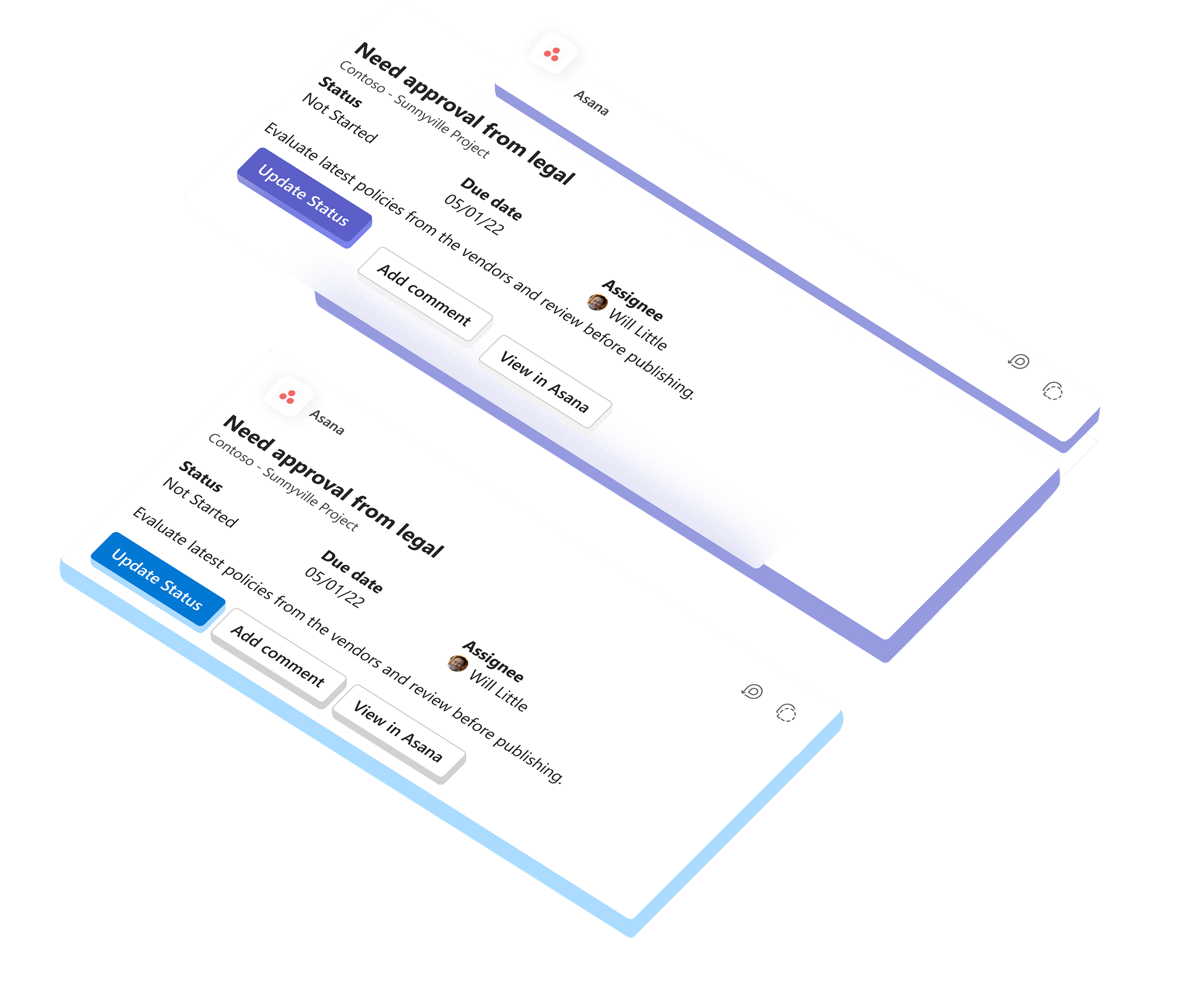
Context – Adaptive Cards & Loops
What are Adaptive Cards?
Adaptive Cards enable you to take quick actions directly, from within any Microsoft 365 communication hub, without leaving the app surface you’re working on.
What are Loops?
Actionable, always-live, portable and embeddable “mini-app” experiences which show up in communication streams, feeds and authoring canvases.
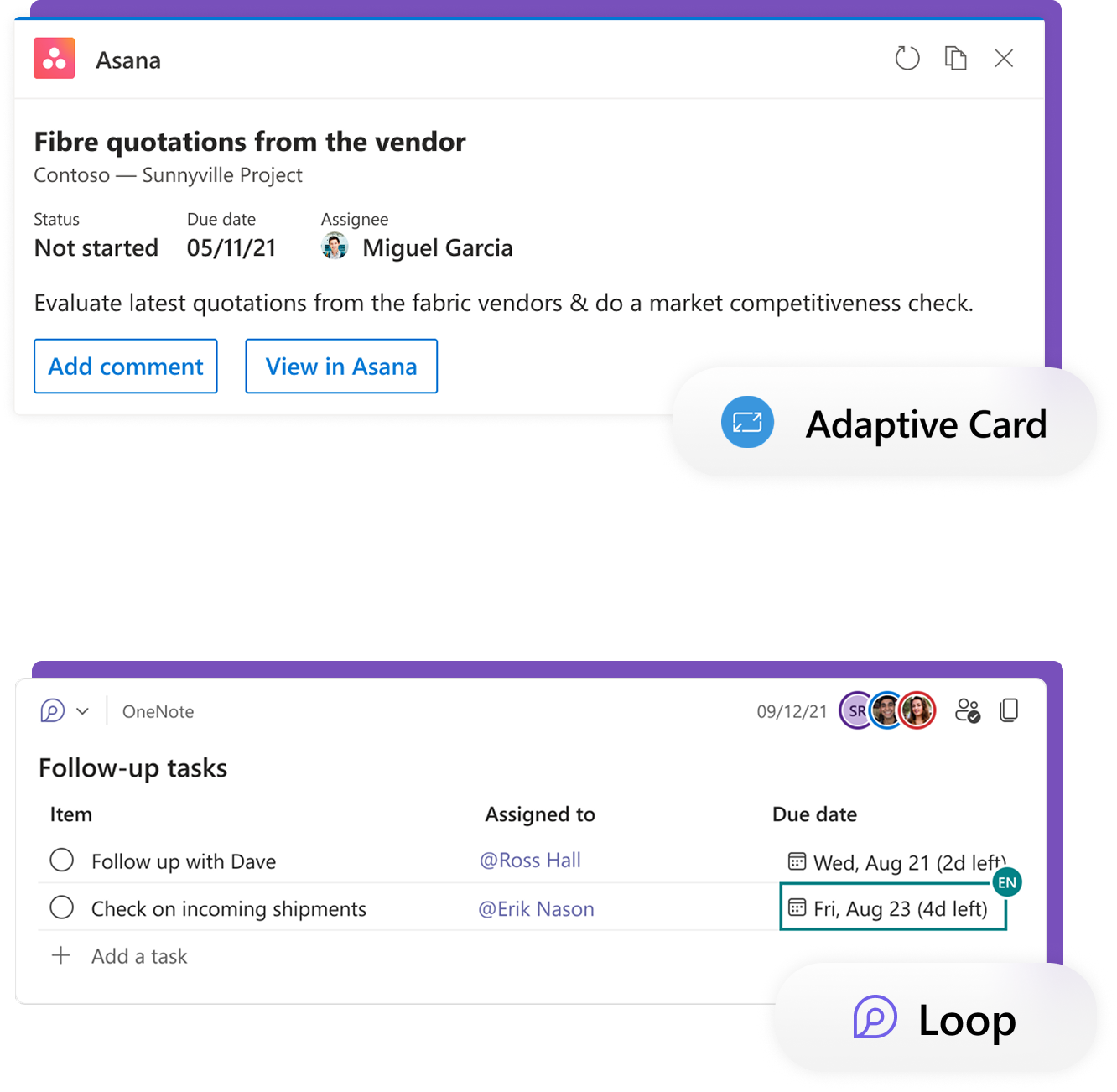
What are Loop Components?
A Loop component represents an “atomic unit of productivity” that embodies four key attributes: Portable, Actionable, Embeddable, and Live.
Portable
I can take it to any M365 host that supports Loop components, and it will work.
Actionable
I can complete a task inline without having to leave my work area.
Embeddable
I can put a “card” into my documents and conversations that is separate from the rest of the content.
Live
I can always see the latest information and all instances stay in sync.
Key Challenges – The Fragmented Work Canvas
- Research points to organizations using ~28 productivity apps on average.
- Employees switch between apps roughly 10 times every hour.
- Users face app fatigue and meaningful friction as they use different tools to get their work done.
Impact on Our Users
Enterprise & IWs
Information workers juggling multiple apps lose productivity to constant context switching.
Geo-distributed Teams
Teams spread across time zones need shared, live content without app barriers.
SMBs & Consumers
Smaller teams need simple, integrated experiences without heavy system overhead.
Consultants
External collaborators need to participate in workflows without full access to every app.
For Users – Unlocking Value
- Leverage live, actionable, portable “units of productivity” of 1st and 3rd party content to complete business workflows where users prefer to collaborate.
- Consistent user experience across M365 canvases—links to favorite productivity apps can unfurl into live, actionable entities.
- Expand the value of M365 by bridging app silos to deliver content experiences wherever users are working.

For Developers – Unlocking Value
- Build once, works everywhere—Loop components are embeddable and portable across the M365 ecosystem.
- Loop components automatically work in every additional host app we enable, including the new Loop app.
- Enable partners to create experiences that scale across M365 and significantly expand their reach.

Strategy – Kickstarting the Ecosystem
- Collaboration with PMs, designers, and engineers across Loops and partner teams.
- Curating the first set of Loop components to kickstart the ecosystem with strong showcase scenarios.
- Evangelizing the four key attributes and analyzing top Add-ins, Adaptive Cards, and Message Extensions to identify top use cases and JBTDs.

Discovery Experiences – Project Scope
URL Unfurling
Paste a URL into any M365 surface or workspace and watch it transform into an actionable component.
Insert Loop
Insert Loop menu across communication hubs and authoring canvases for quick access.
Intelligence
Recommendations show up as users type on M365 surfaces, surfacing relevant Loop components.
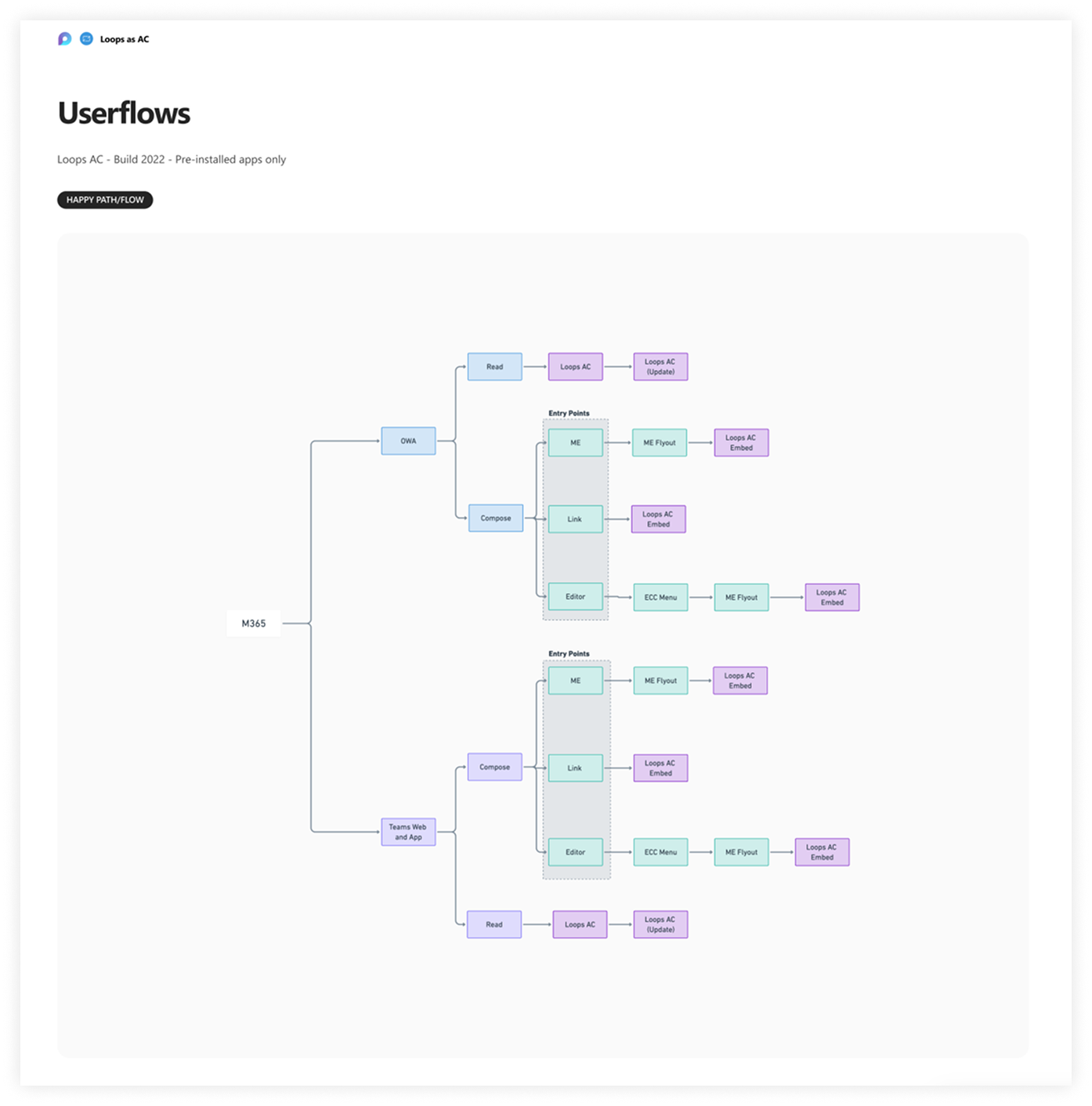
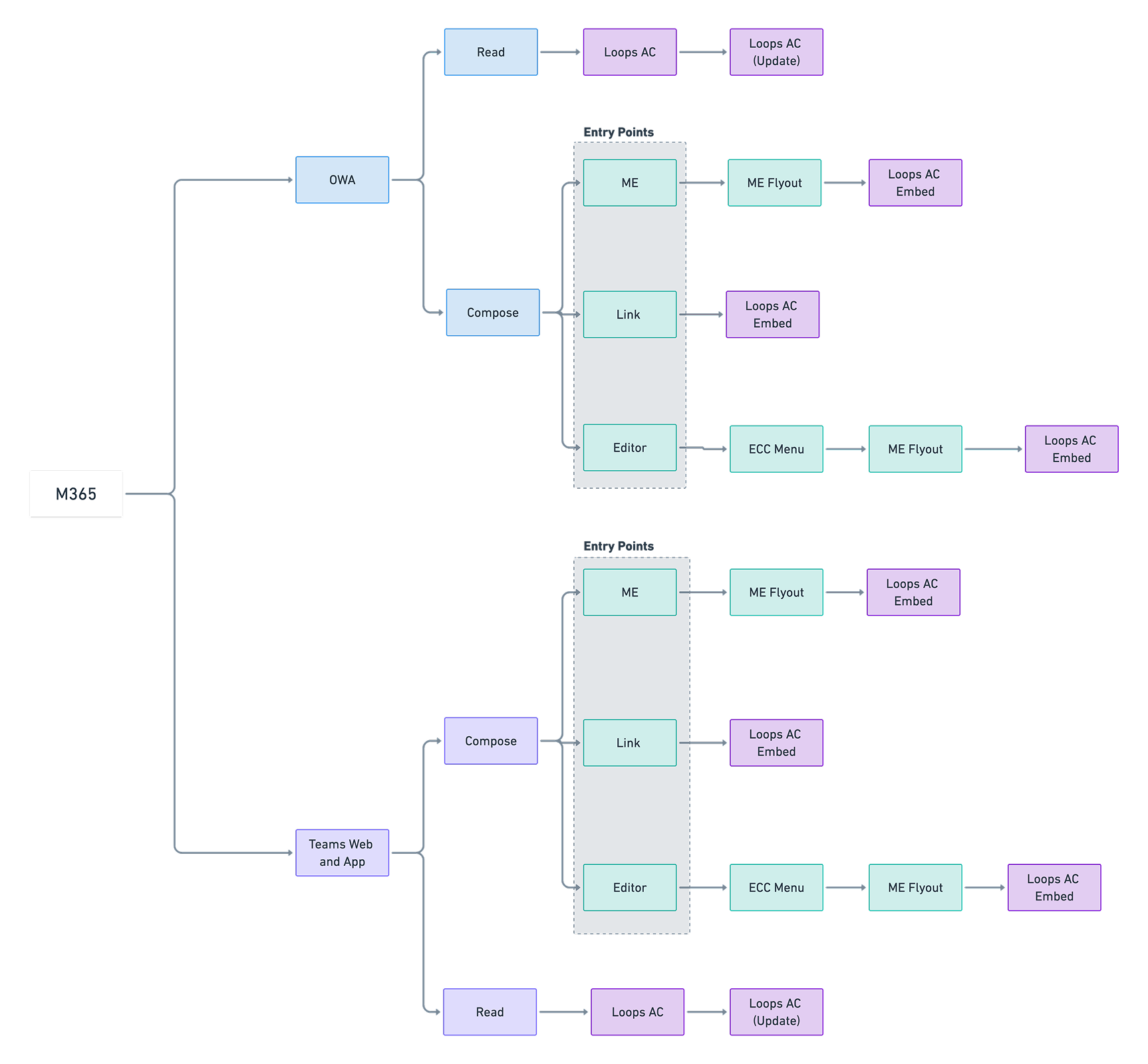
User Journey – Golden Path (PI apps only)
Happy path user journey for first-party integrations, focusing on how users discover, insert, and act on Loop components without friction.
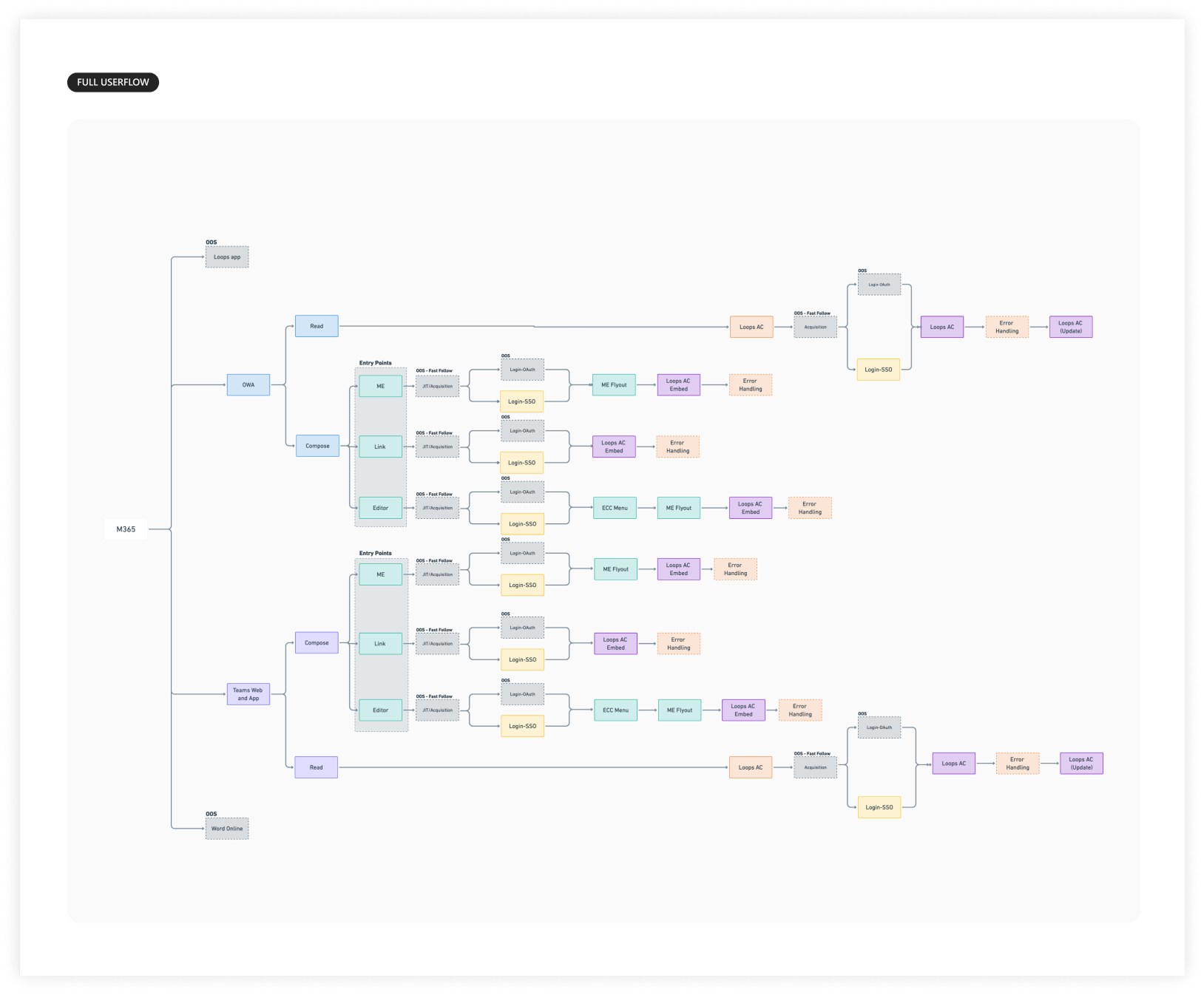
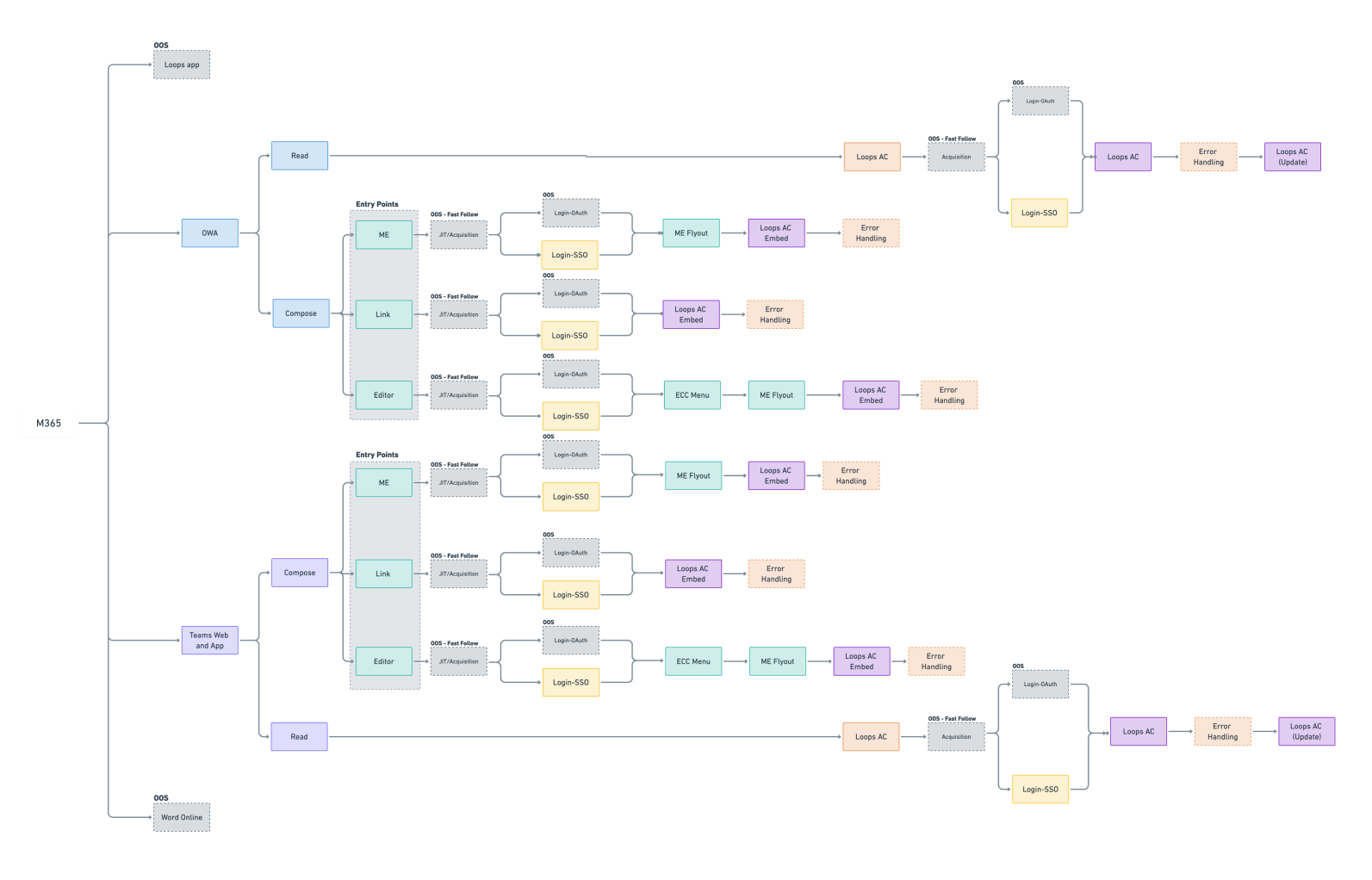
User Journey – Full Flow (Authentication & Error Handling)
Complete user journey including authentication flows, error states, fallbacks, and edge cases to ensure robust partner experiences.
Design – Loop Component Variants (Loops FFX)
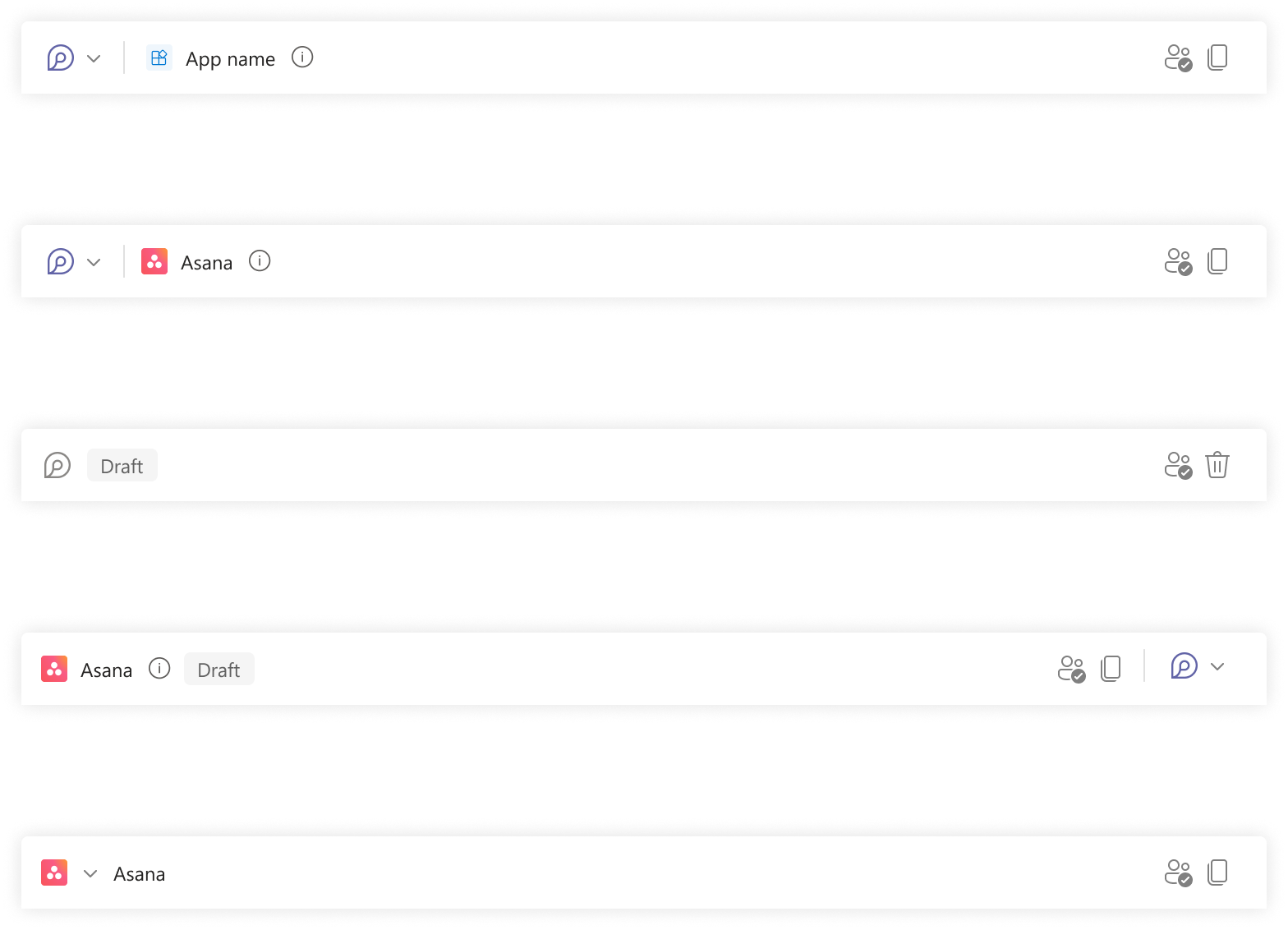
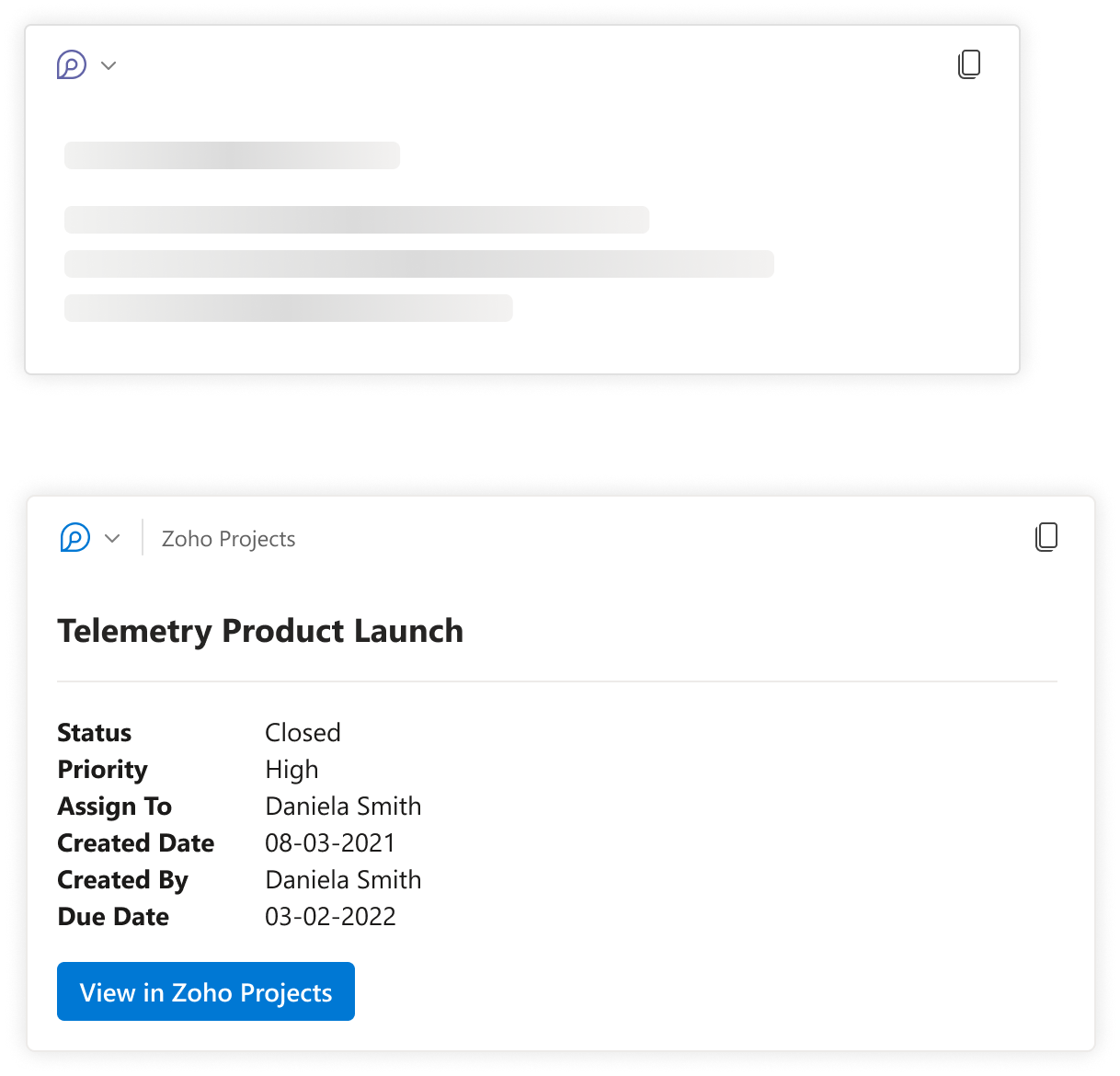
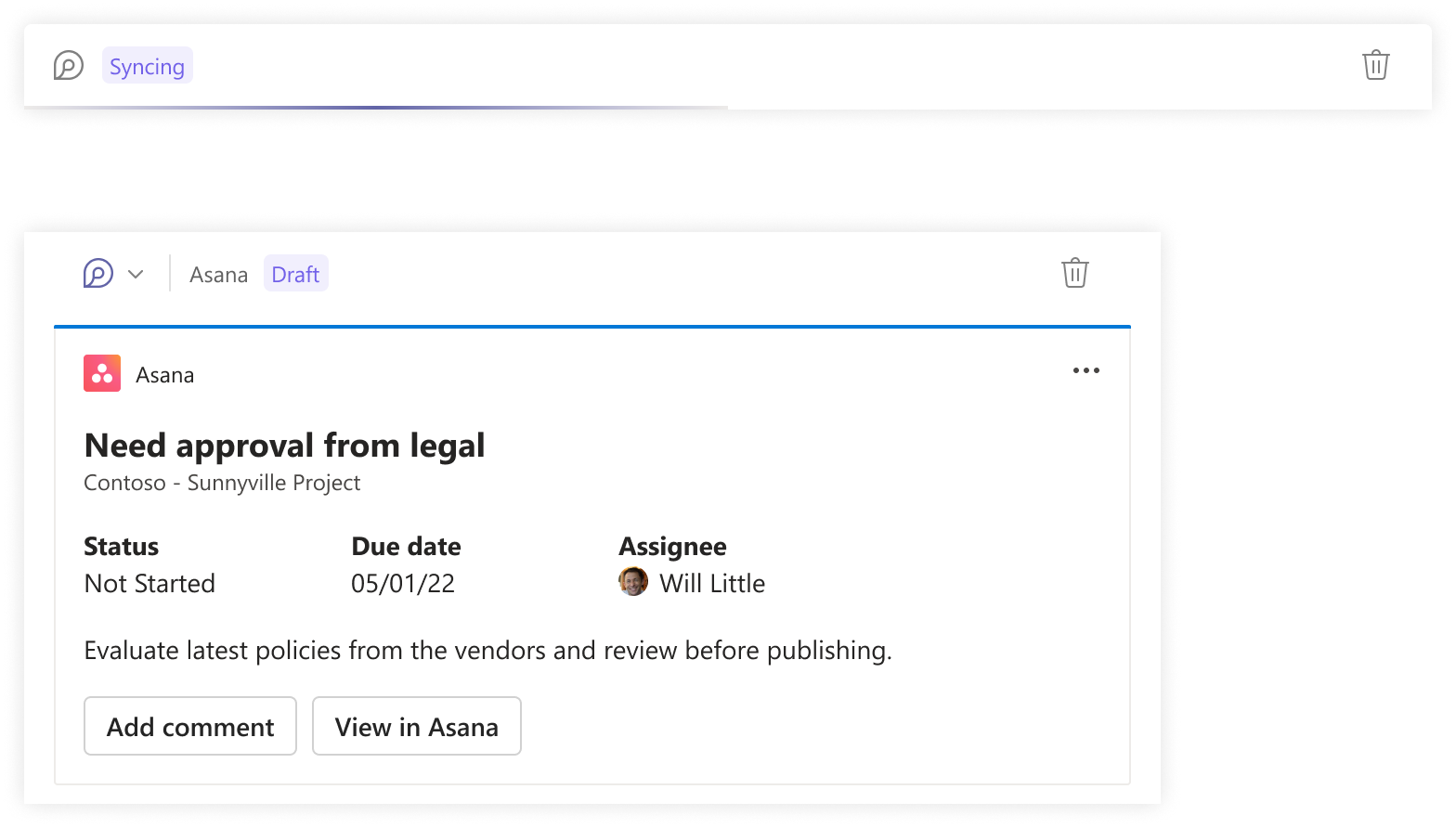
Collaborated with the Loops FFX design team to ensure Loop component header patterns and visual language remained in sync for 3P content such as project management and video experiences.
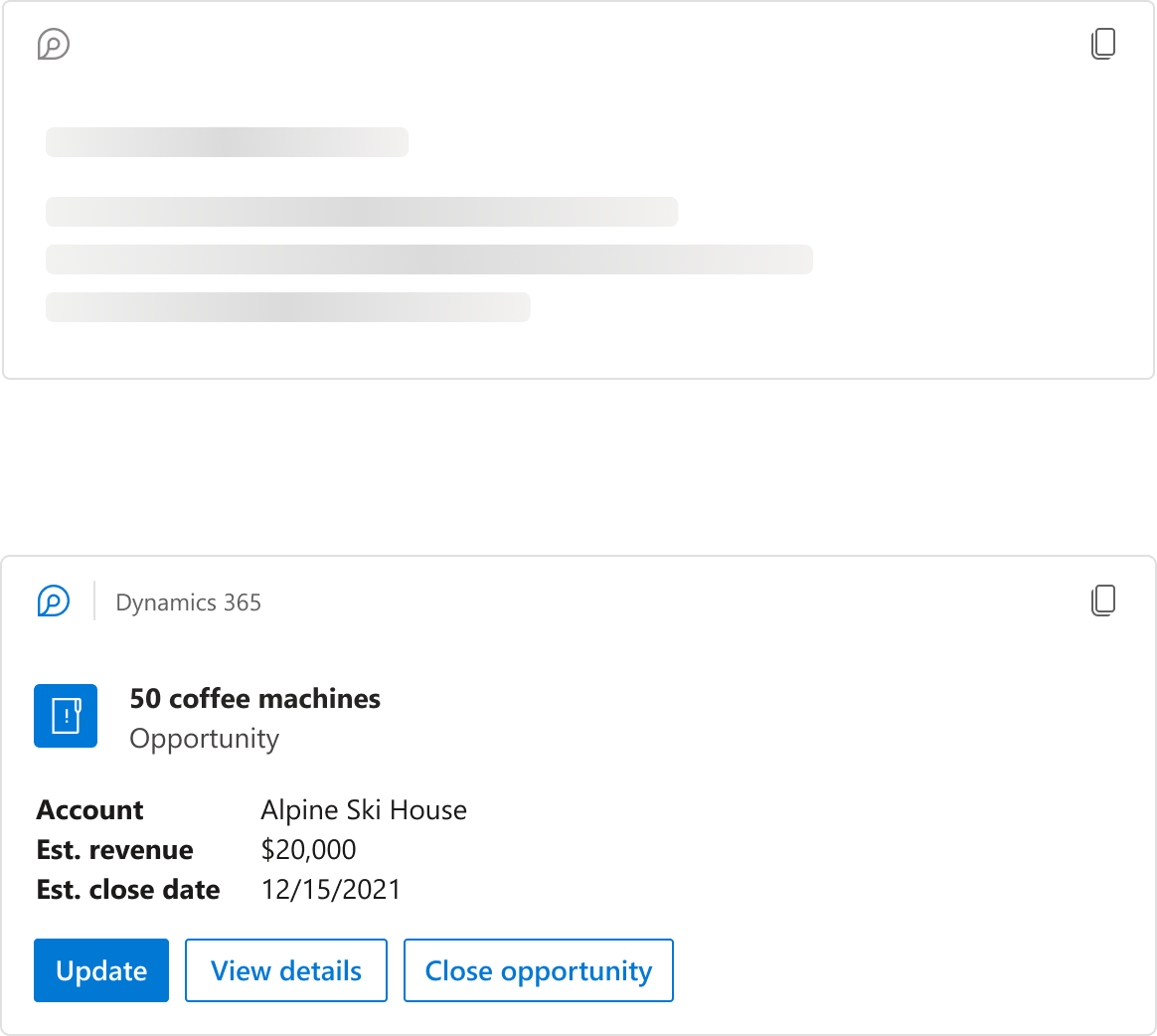
Design – Loop Component Variants (D365)
Partnered with the Microsoft D365 design team to align Adaptive Card designs for the showcase first-party scenario, ensuring consistency between Loop and D365 surfaces.
Design – Early Explorations
Explored several component shapes and layouts across different partners and JBTDs to ensure key workflows were covered and reusable across the ecosystem.
Design – Guidelines
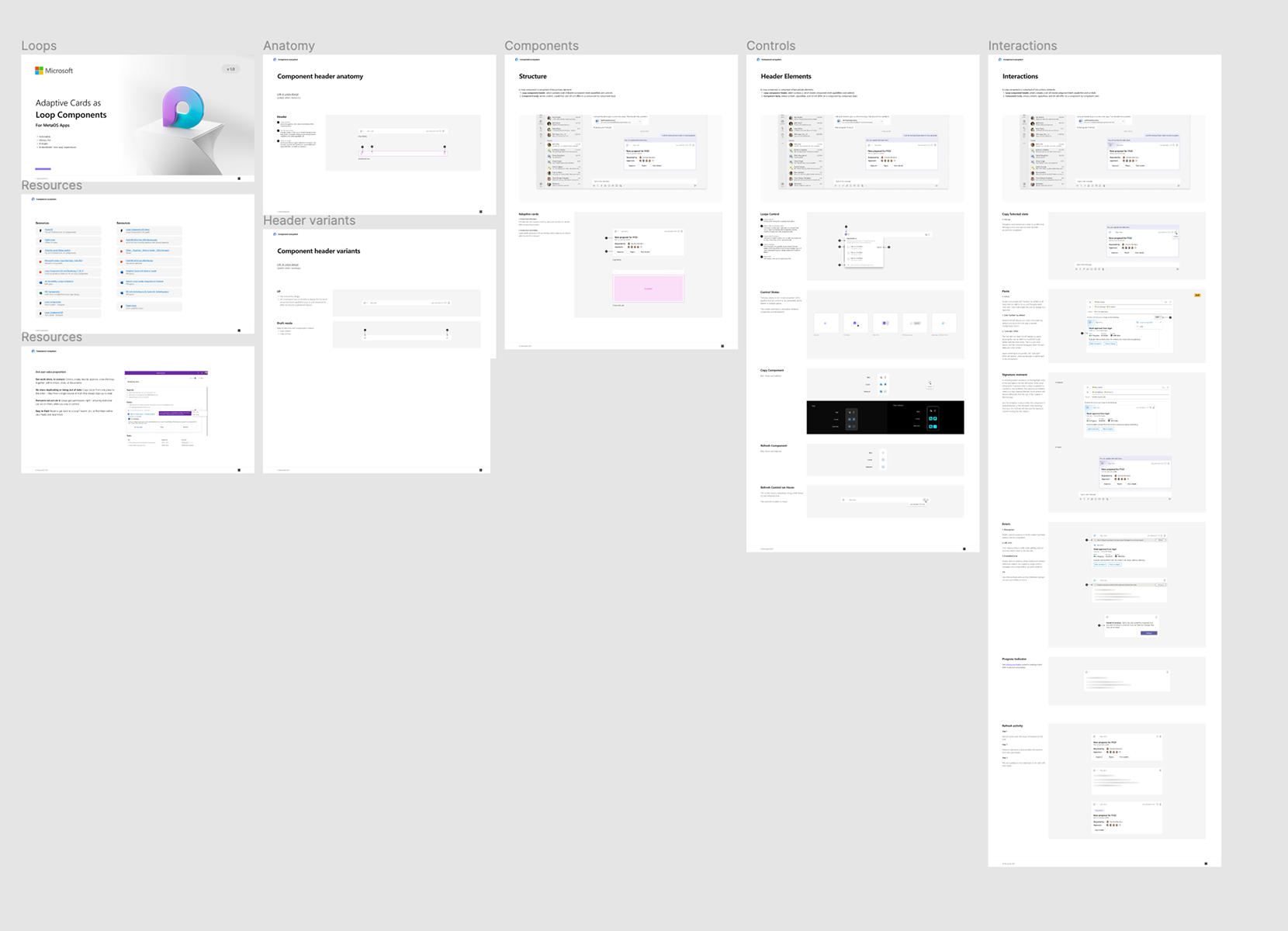
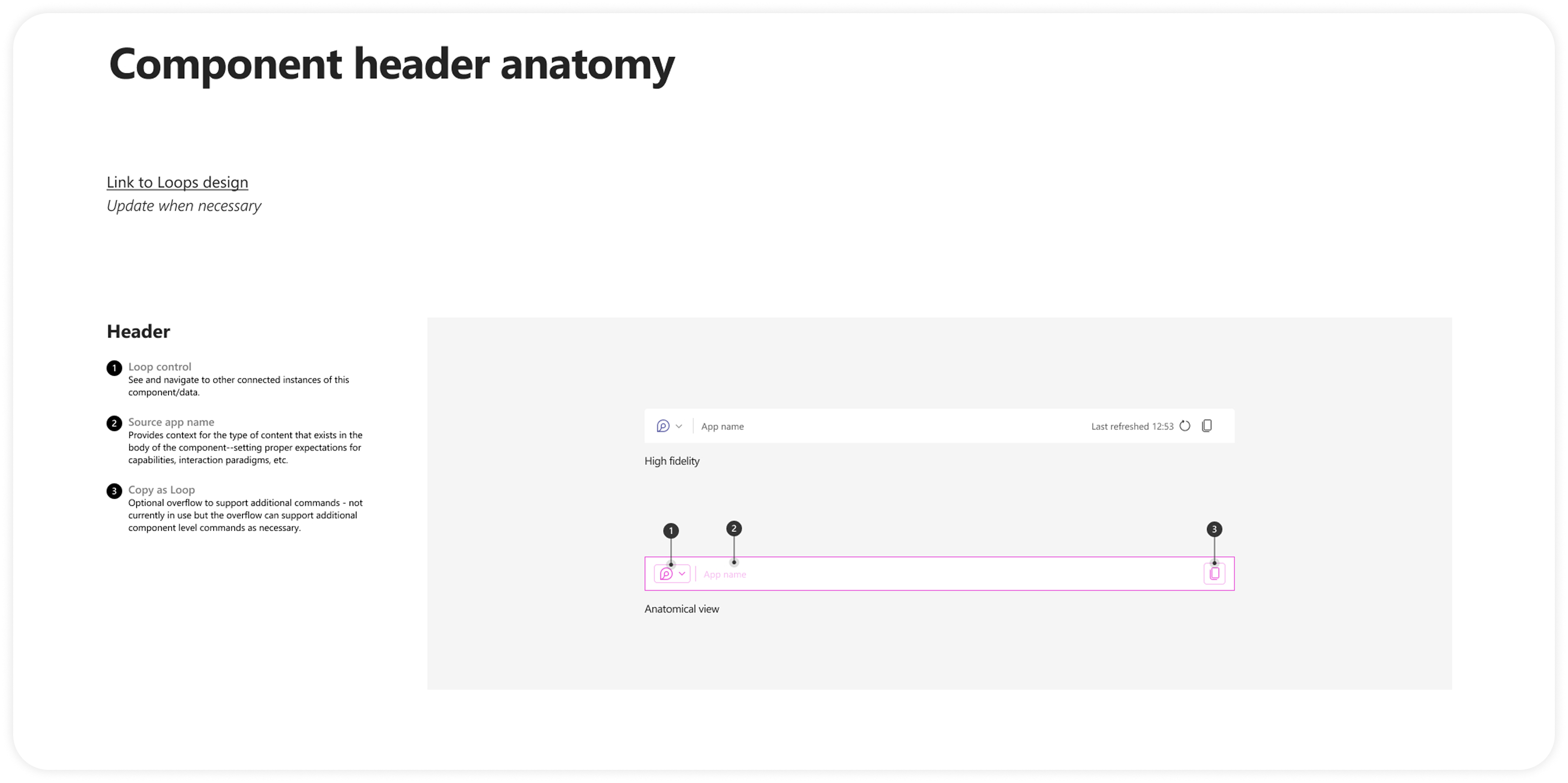
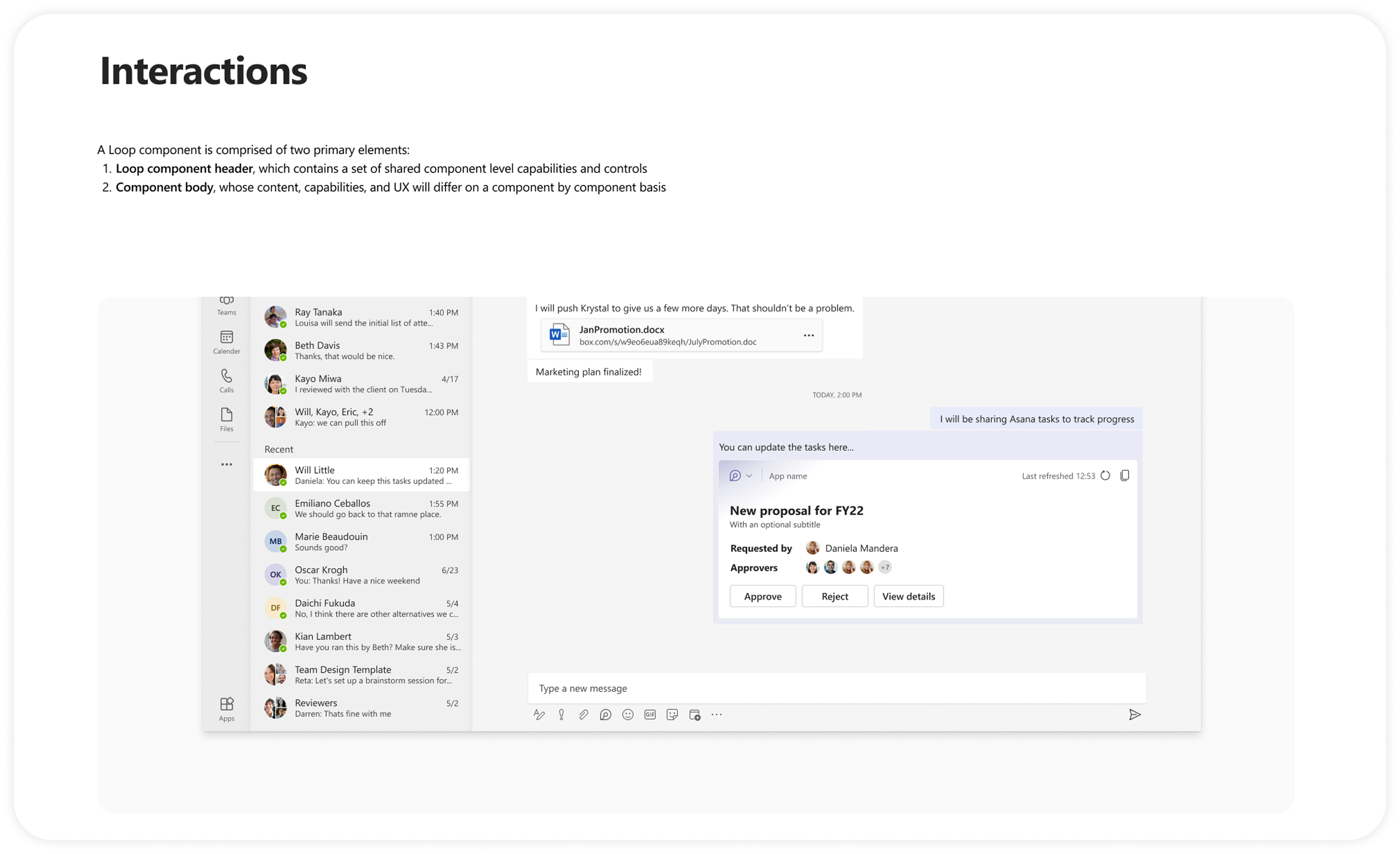
As part of the deliverable, worked closely with the Loops FFX team to create guidelines and align stakeholders on UX flows. Designers and developers from any team who wish to build Loop Adaptive Card scenarios can do so by referring to these guidelines with ease.
Guidelines – Examples
Design – URL Unfurling
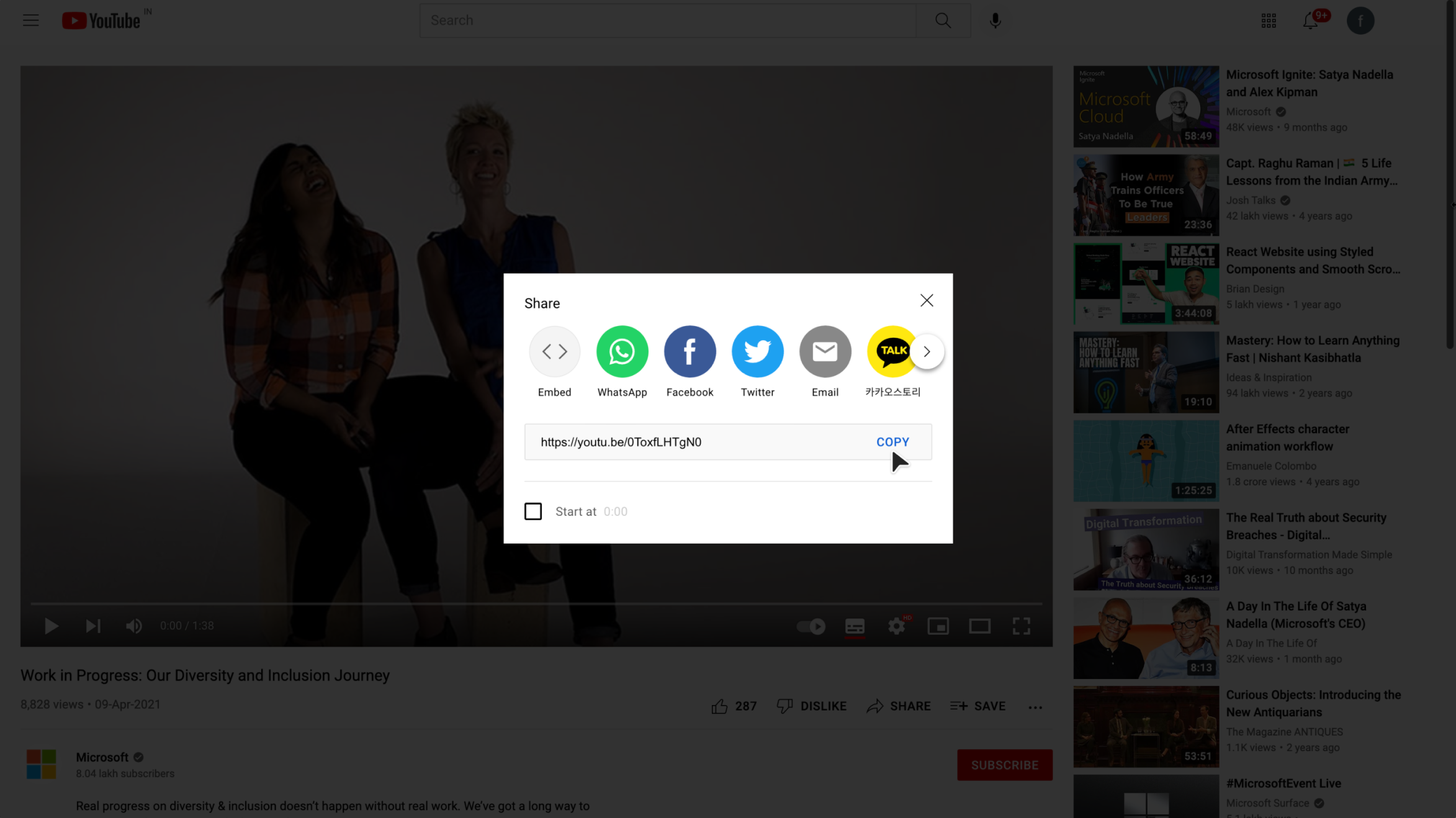
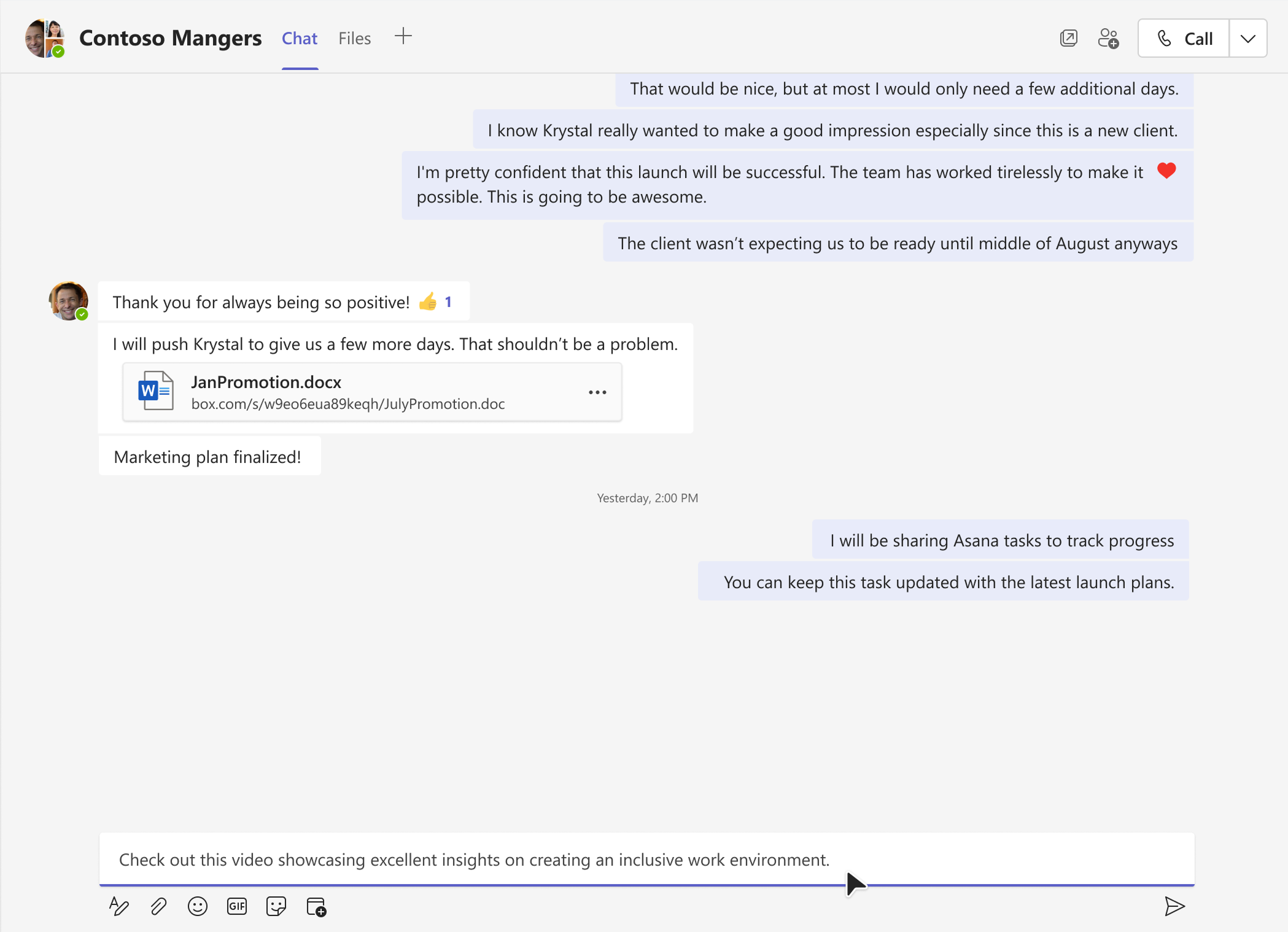
Step-by-step flow showing how URLs transform into actionable, consumable Loop components.
YouTube video URL copied
URL pasted in group chat
URL unfurls with loading state
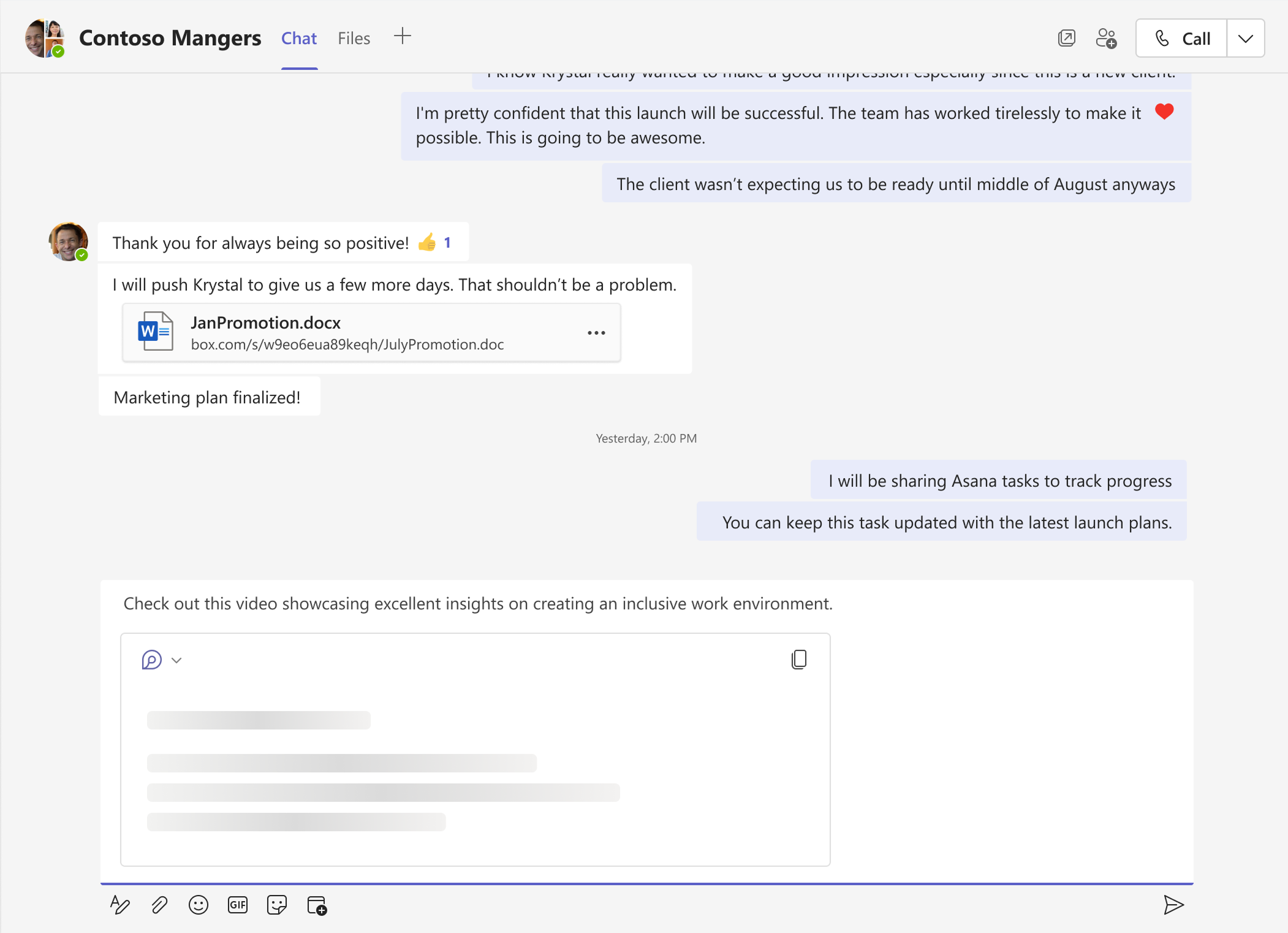
URL finally unfurls with actionable, consumable content
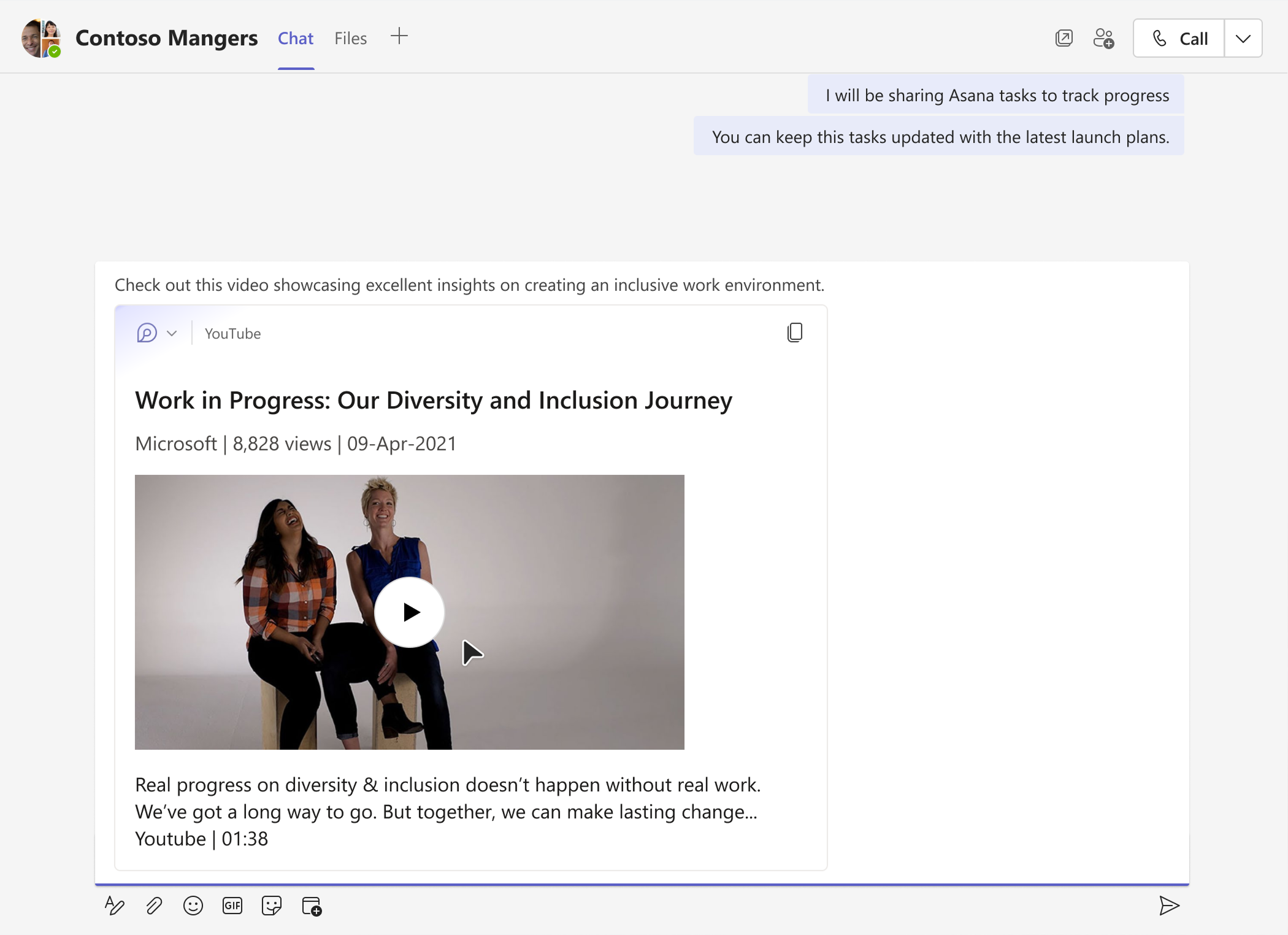
Intelligence – @mention for 3P Content
Users can invoke an @mention interaction to access 3P content directly in M365 surfaces, with intelligent suggestions appearing as they type.
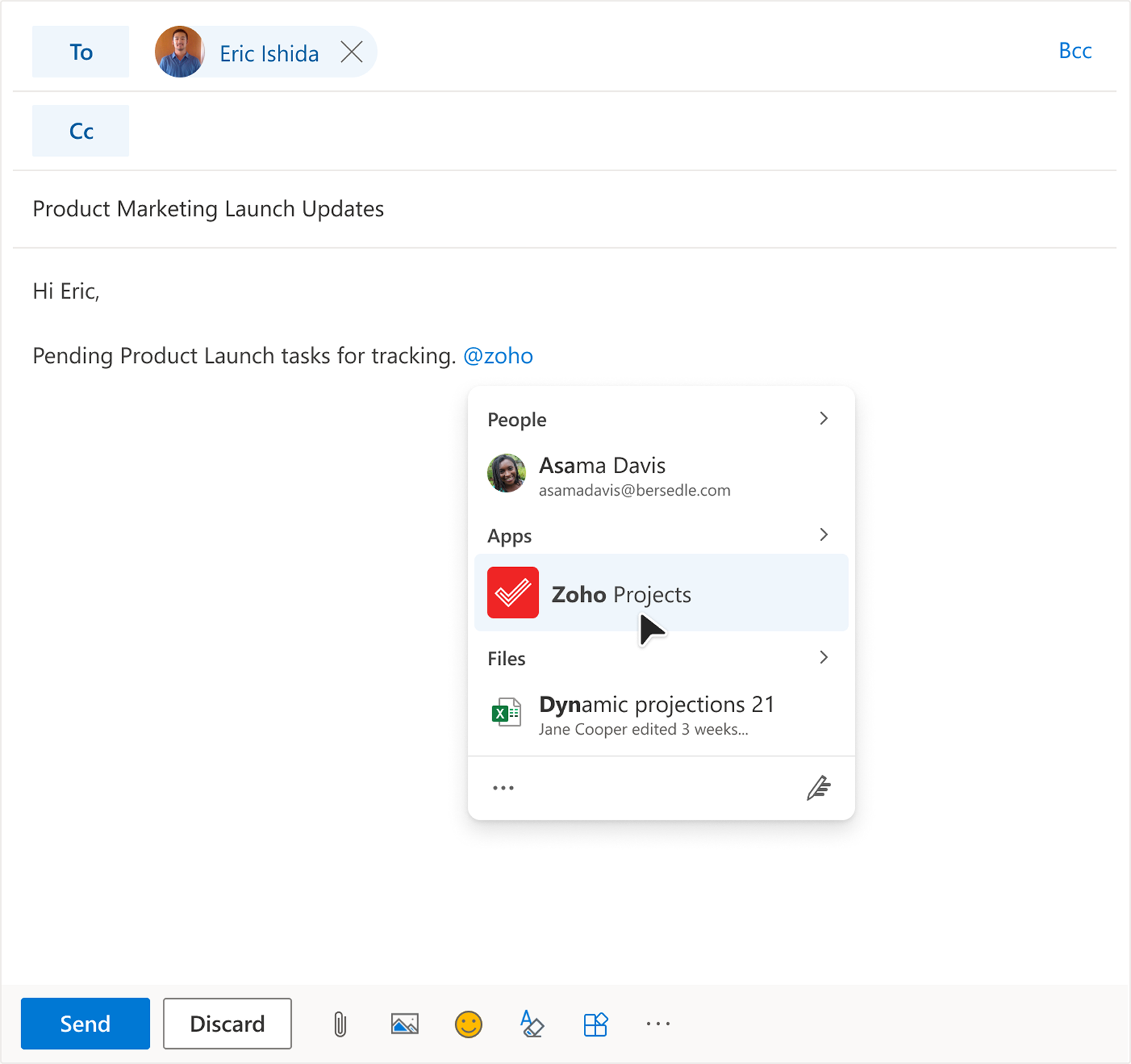
Insert Loop
Three-step flow for inserting Loop components via the message extension flyout.
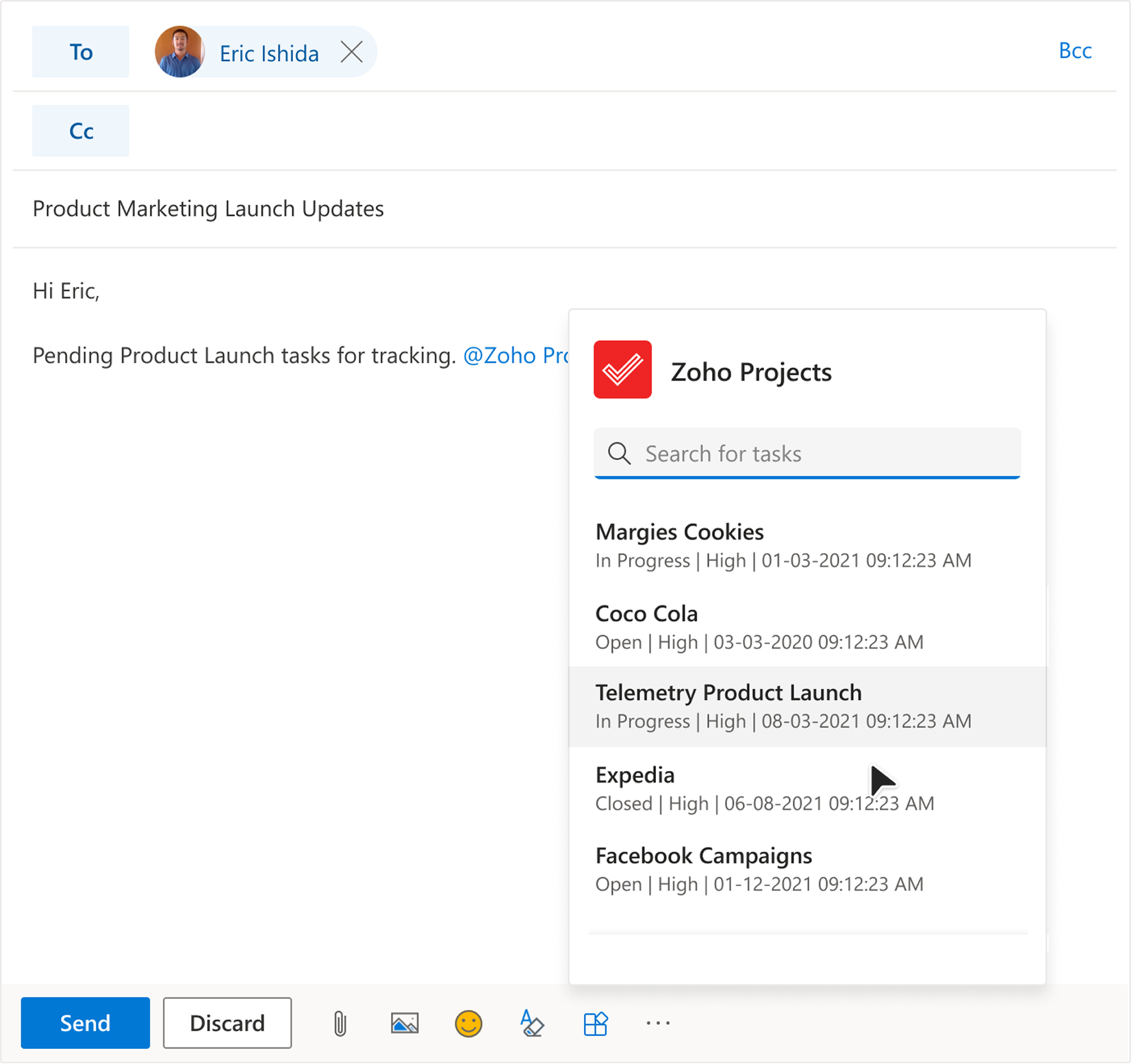
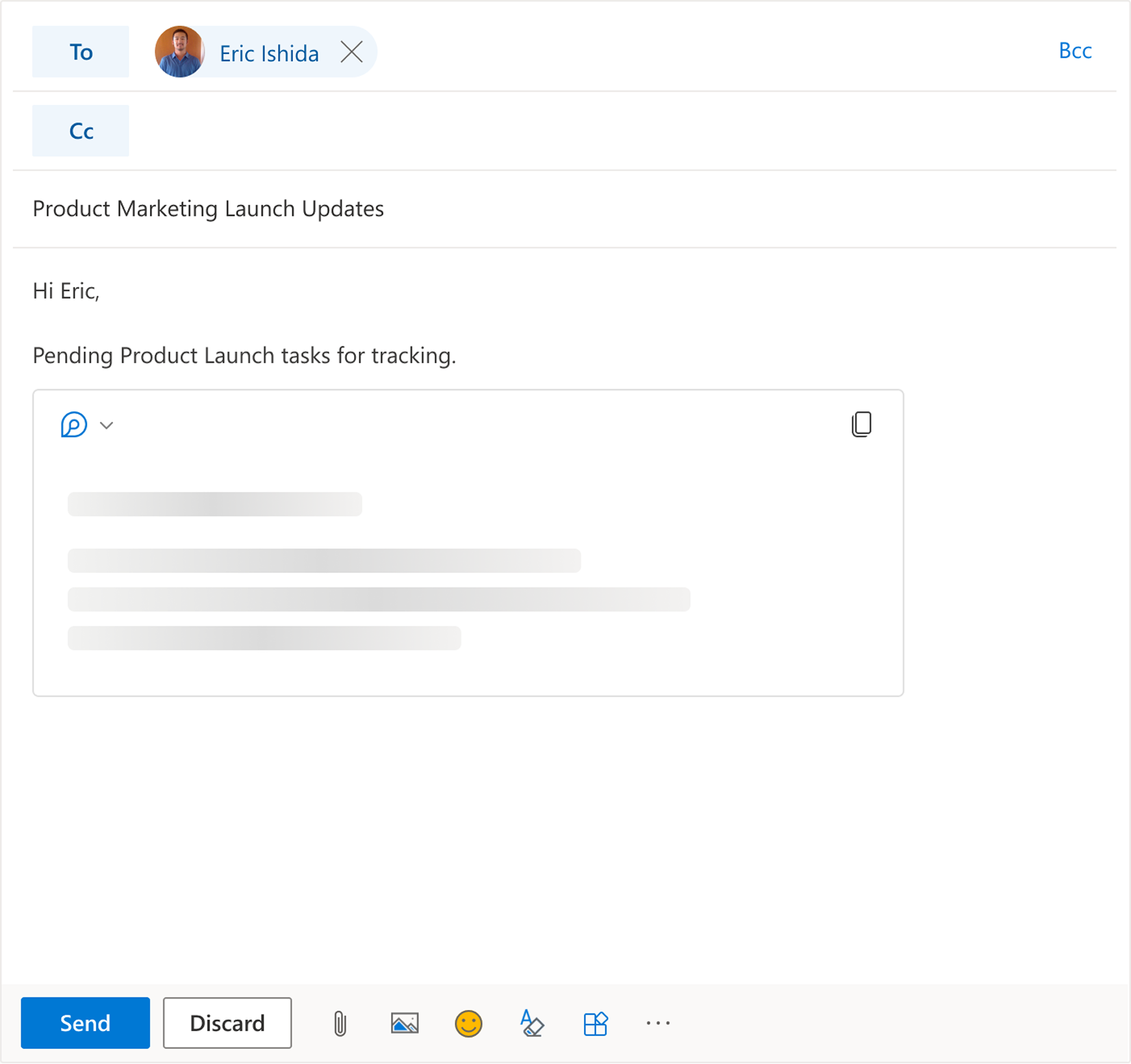
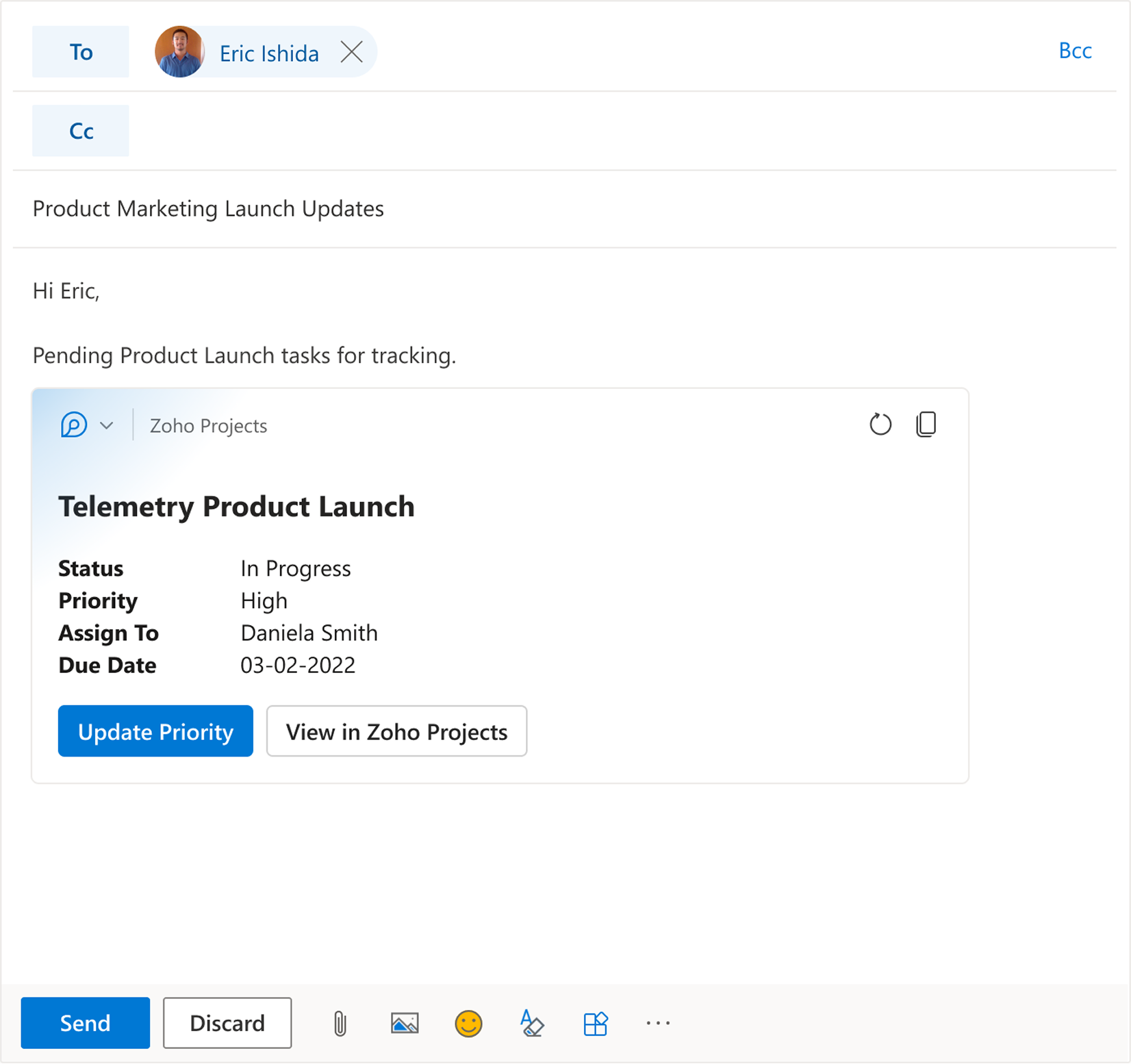
UX Walkthrough – Contoso Uses Asana
Contoso, a marketing firm, uses Asana for planning product launches. Daniela is leading the marketing campaign for a new product launch. Eric requests an urgent email update on pending tasks.
Daniela is worried that the tasks in Asana might not show the latest updates, so she brings the Asana Loop component into her email/chat, confirms the latest status inline, and then responds with confidence.
Client Feedback
"I’d like to take a moment to appreciate Anoop for his invaluable contribution to the AC-Loop effort."

"Anoop helped making significant progress on Adaptive Cards SSO login and loader experiences, Loops scenarios, prototypes and feature videos."
